mtnlabs
Your coach is your AI subscription. Your data is the evidence.
Two years of Apple Health, read by the AI assistant you already pay for. Ask it anything and it answers in your numbers. The session it writes goes to your Apple Watch.

Monday morning, for real
Three exchanges, one day. Watch what it refuses to do: for this Apple Health example it throws out today's SDNN HRV average because there is an impossible reading inside it, verifies the session expanded correctly before claiming it is on the watch, and calls the evening “done and overcooked” rather than “missed”. The monospace lines are the tools it actually calls.
Monday, 07:41
The median is 54.2 ms: +0.2σ against your own baseline, an ordinary morning. Resting heart rate 49 (−1.3σ, low for you), 7h 10m asleep at 96% efficiency.
Do the session.
Monday, 21:30
A session done and overcooked, not a session missed. Your jog-downs were fine: 890 s sat in the 110–140 band the plan asked for.
Why HRV is a median here
Heart-rate variability, 60 days
Eleven of these sixty days carry a reading no resting heart produces. A dropped beat reads as one huge interval, and the day's mean jumps with it; the median does not. That is why every noisy metric here is a median.
One sensor artefact can move a day's mean HRV from the fifties to over a hundred.
Training theory, checked against your sessions
Your assistant reads the research, then checks it against your own sessions and zones.
Sunday, 19:12
80% easy (Z1–Z2) · 15% tempo (Z3) · 5% threshold and above (Z4–Z5)
The 80/20 headline looks right, and it is misleading. Almost three quarters of your non-easy work sits in the band the polarised model wants empty: 326 minutes of tempo against 109 minutes of real intensity, mostly from two long runs.
That is not a mistake: the model was built on runners doing 10 km road blocks, not people who go up hills for six hours. If you want the polarised effect, let the long days run slower so the two hard days can be hard.
Where the 28 days went
Demo account. Computed the way the real tool computes it: from raw heart-rate samples across every session in the window, against the athlete's own saved zone boundaries, not a percentage of an age-estimated maximum.
No dashboard could have a "your polarised split is wrong in this specific way" feature: the question does not exist until someone asks it.
Your assistant can also hold several connectors, so a question needing heart rate from Apple Health and gradient from Strava is answered from both.
The app on your phone
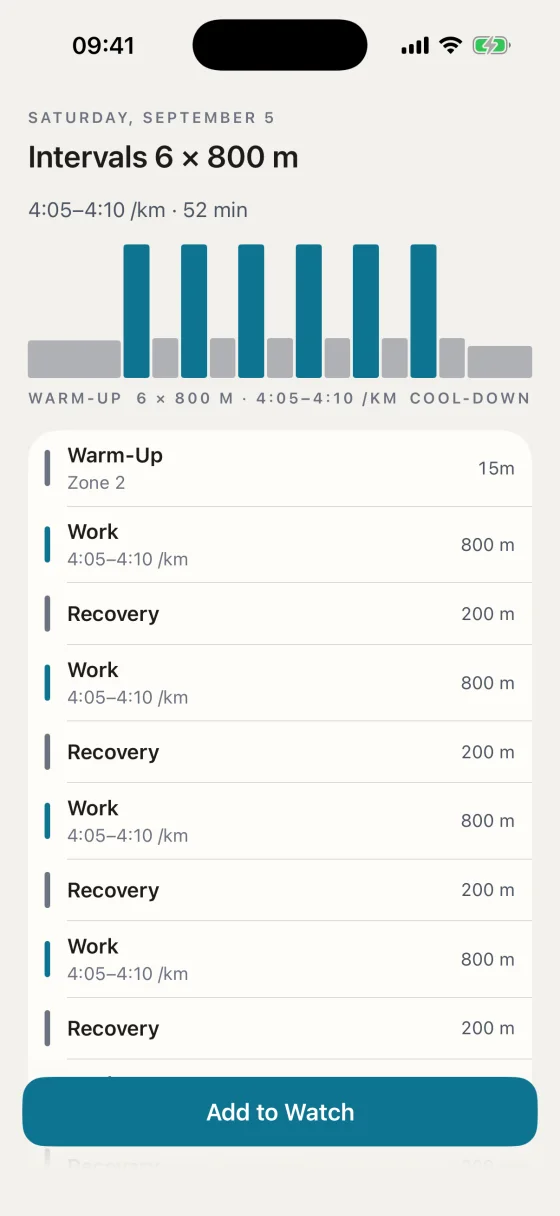
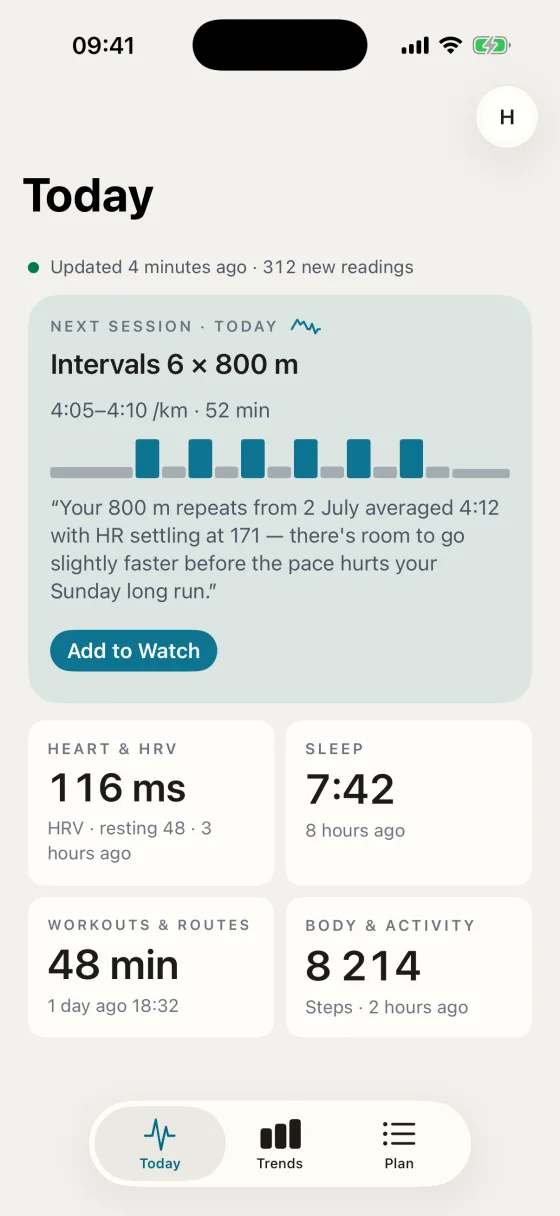
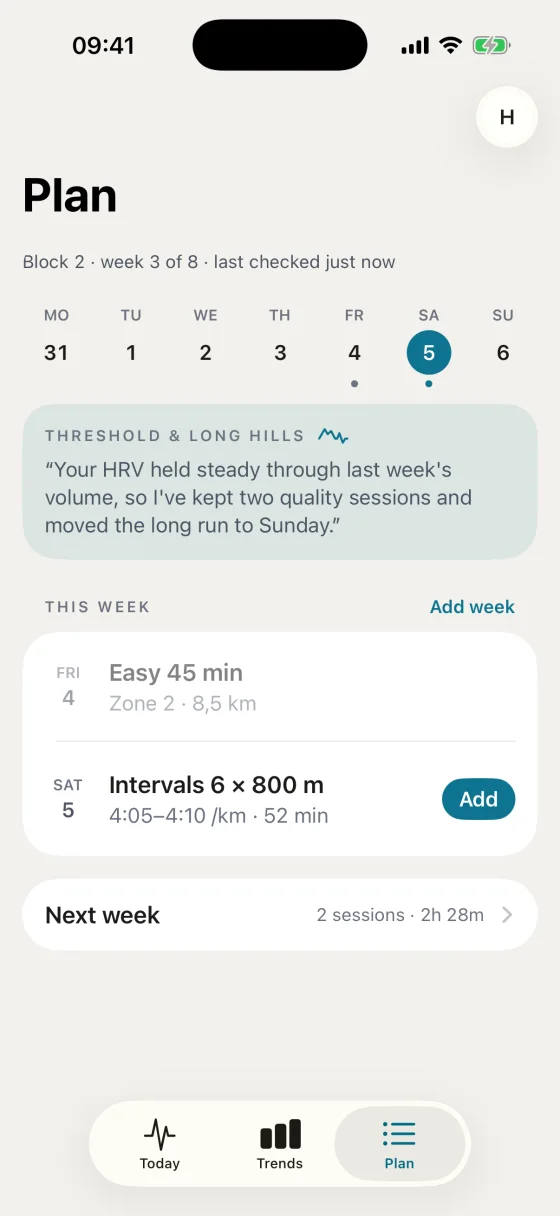
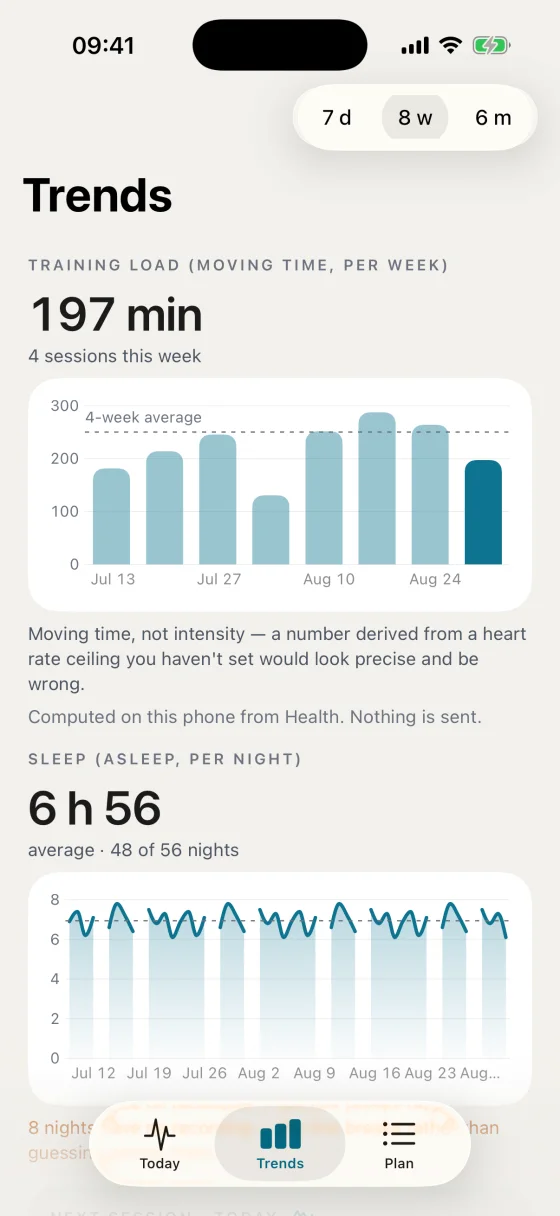
Three screens. It syncs, shows what your assistant published, and puts the session on your watch. A daily check-in and a post-session RPE are there if you turn them on; your assistant reads both.
The session on your wrist
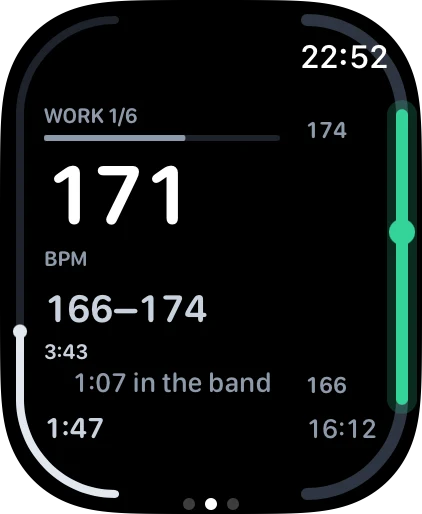
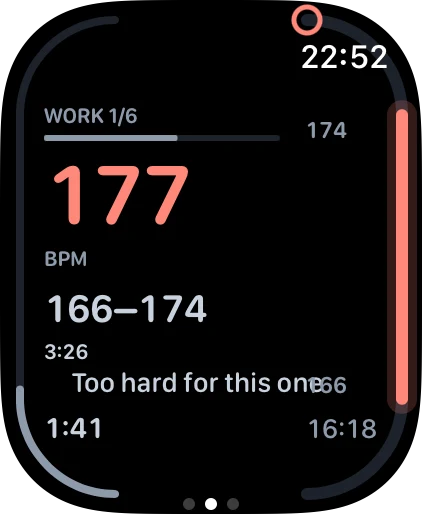
HealthBridge runs the session on your Apple Watch: the band on screen, cues spoken and written, and each step recorded against the session that was published.
A number needs its range
168 against 166–174 means something; 168 alone does not. So every step with a target draws its band as an arc along the edge of the screen.
Nothing is spoken into a hard rep
Every announcement lands in the step before the one it describes, and a step under 30 seconds hosts none.
Your assistant picks the cues
Per step, from a closed vocabulary: seconds in the band, time left, the next band. The app decides how they look.
Live coaching during the session
New in 1.2, off by default. Ask the coach mid-session and one adjustment comes back: hold, or ease the band. The watch speaks it, writes it and records it with the session.
It reads your context first
It can look up the rep you just ran, this morning's readiness and your recent load first.
Spoken between reps
The answer is spoken and written on the face; nothing is spoken into a hard rep.
Its own consent, off by default
Nothing leaves your watch for a coached answer until you turn on In-session AI coaching in Settings. Then heart rate, pace and gradient go to Anthropic's API on our account, processed in the US, nothing kept for training.
The evidence library
The server ships a library your assistant can read: 31 evidence-graded documents behind 230 cited sources, resolved against PubMed, Crossref or Open Library.
Every claim carries how good the evidence is and whom it was measured on. A skill ships with it too: healthbridge-coach, one markdown document, 23.9 KB to download.
Specific about you
Your own 60-day baseline, your own zones, your own two years.
It checks its inputs
Bad sensor data is caught and said out loud before it is used.
It writes back
A structured workout goes to your wrist and comes back as data, scored against the session that was published.
It says when it cannot answer
A missed session is reported as missed, never quietly repaid onto a later one.
Why it runs on your own subscription
Your coach is the model itself. An app paying for every token you consume has to ration: a capped chat, a fixed set of questions.
HealthBridge pays for none of it. The conversation runs on your own Claude or ChatGPT subscription, so nobody has a reason to cut you off. It is built on the Model Context Protocol, an open standard. No lock-in: your two years stay exactly where they are.
What you need
- An iPhone with Apple Health, which is where the data comes from. There is no Android path. Get HealthBridge for iPhone by installing it from Apple, then open the setup link on that same phone.
- An AI assistant that supports MCP connectors. Claude and ChatGPT are both tested.
- An Apple Watch, but only if you want the session run on your wrist. Reading works with any watch that writes to Apple Health: Garmin, Polar, COROS, Suunto. Writing back is Apple-only, because WorkoutKit is.
- Some patience: no uptime guarantee, and Apple Health stays your source of record.
Your data
Stored in Cloudflare's European region, scoped to your account, read by your assistant when you ask it something. Not sold, not pooled, not used to train anything. HealthBridge never sends it anywhere itself; the one exception is the live coach above, behind its own consent. You can delete all of it from inside the app, immediately and without asking anyone: samples, derived rollups, tokens, authorised clients and the account row. Export is available too. See the privacy notice.
Start here
Get the app and sign in with Apple, Google or GitHub. The account is yours the moment you sign in. Then add the connector to your assistant.